Device verification
Device verification is available for MDM enrolled Apple and Android devices. It combines three security and attestation technologies into a single KACE Cloud property that can be used to filter devices:
These three different technologies are
- Android Management API (AMAPI) Security Posture
- Android Play Integrity API
- Apple Managed Device Attestation
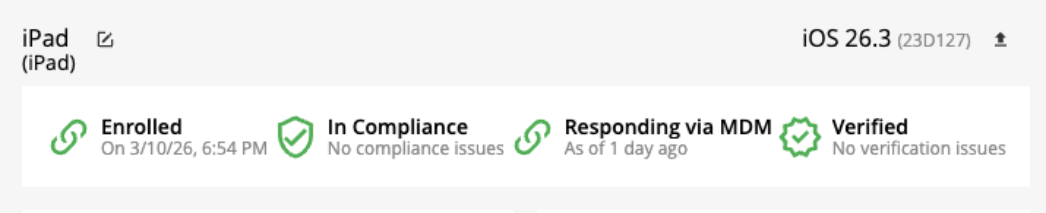
These technologies feed into the Verification Status field, which appears on both the device summary and device details pages. On the device summary page, the header shows the verification status. In the case below, the device has a verification status of Verified.
A summary chart displays the distribution of verification statuses for the currently selected devices.
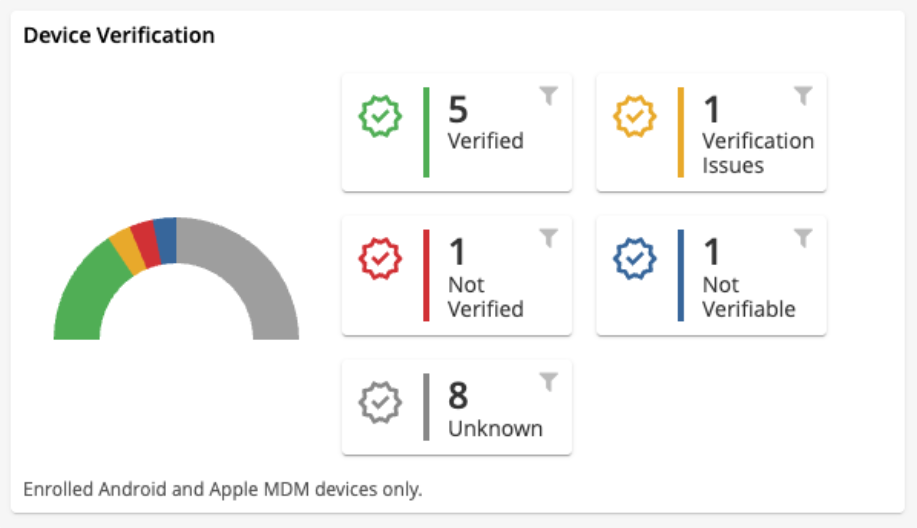
The Verification Status field can show one of six values:
- Not Applicable - Applies to devices that do not report verification information, such as Windows devices or registered (non MDM) devices.
- Unknown - The default value for devices capable of providing verification information but that have not yet done so.
- Not Verifiable - The device completed inventory but cannot provide verification data. This may occur with older Apple devices or Android EMM devices running outdated agent versions.
- Verified - The device returned valid verification information and meets the required standards.
- For Apple devices: the attestation certificate is correctly signed and contains the device’s serial number.
- For Android AMAPI devices: the device reports a Secure security posture.
- For Android EMM devices (Play Integrity): the device verdict is Meets Strong Integrity.
- Verification Issues - The device reports a lower integrity level than required.
- Applies to AMAPI At Risk posture or Play Integrity results such as Meets Device Integrity or Meets Basic Integrity.
- Apple devices do not have a corresponding intermediate state.
- Not Verified - The device reports a failure condition.
- AMAPI marks the device as potentially compromised.
- Play Integrity cannot validate the device.
- Apple attestation is invalid or does not match the device.
The Android AMAPI Security Posture is device information gathered by KACE Cloud when an AMAPI device reports inventory. For more information see the AMAPI documentation - Understanding Security Posture
The new verification status field is shown in an AMAPI device's security card.
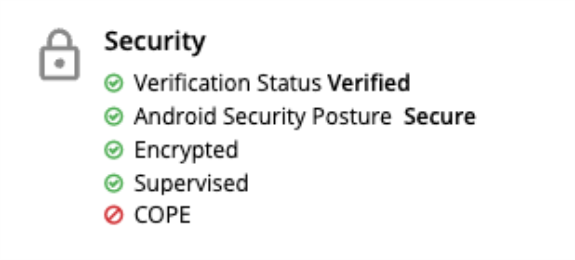
The full AMAPI posture appears beneath the verification status on the device details page.
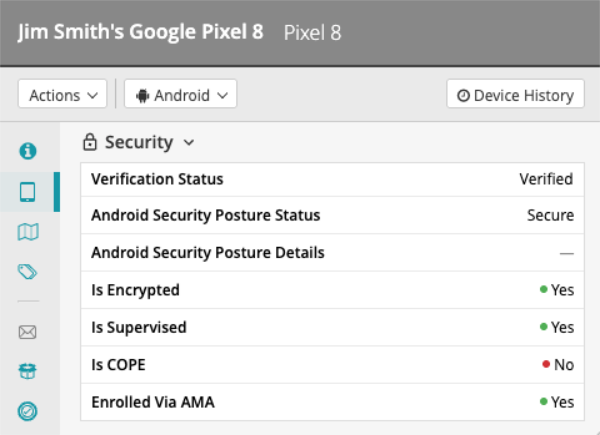
The Play Integrity API provides security verdicts for Android EMM devices. Devices must be running the KACE Cloud Android agent version 1.9.1 or later to support this feature.
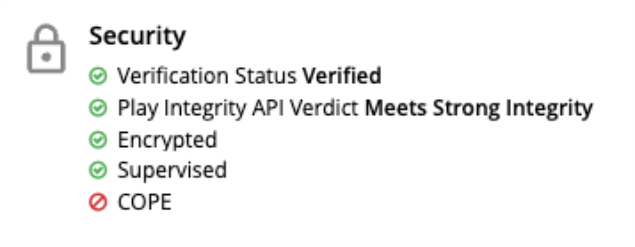
The screenshot below shows a device that has received the Meets Strong Integrity verdict from the Play Integrity API and as a result, is assigned a verification status of Verified.
The device details section has more information including an option of downloading the JSON that is returned from the Play Integrity API.
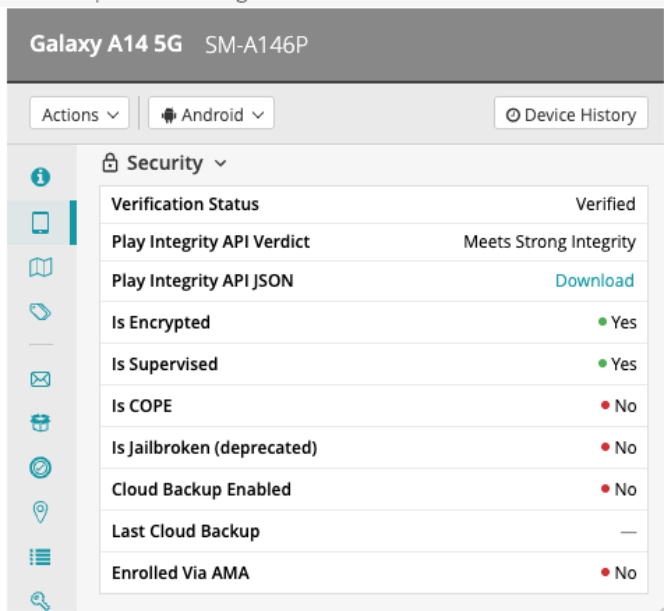
For full details about the Play Integrity verdicts see here - Play Integrity Verdicts. KACE Cloud uses the deviceRecognitionVerdict field in the deviceIntegrity section of the API response.
Apple Managed Device Attestation allows KACE Cloud to request and validate an attestation certificate during inventory. Supported device types include:
- iOS 16 or later (A11 Bionic chip or later only)
- macOS 14 or later (Apple silicon only)
- tvOS 16 or later (A11 Bionic chip or later only)
Both DEP-enrolled and manually enrolled devices are supported.
Upon receiving a certificate, KACE Cloud verifies that it is correctly signed by Apple's Attestation Root CA and that it includes the device’s serial number.
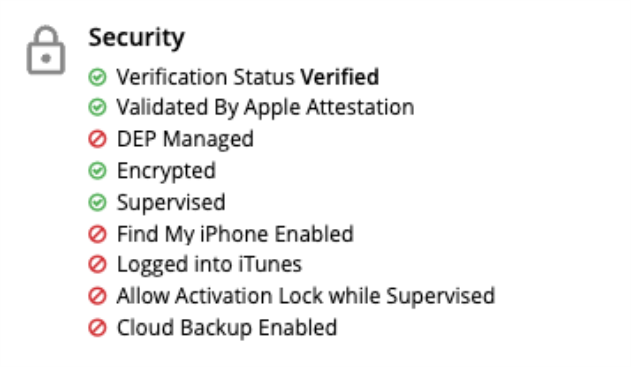
Attestation results appear in the device security card.
The device details section has more information and the certificate can be downloaded for inspection.
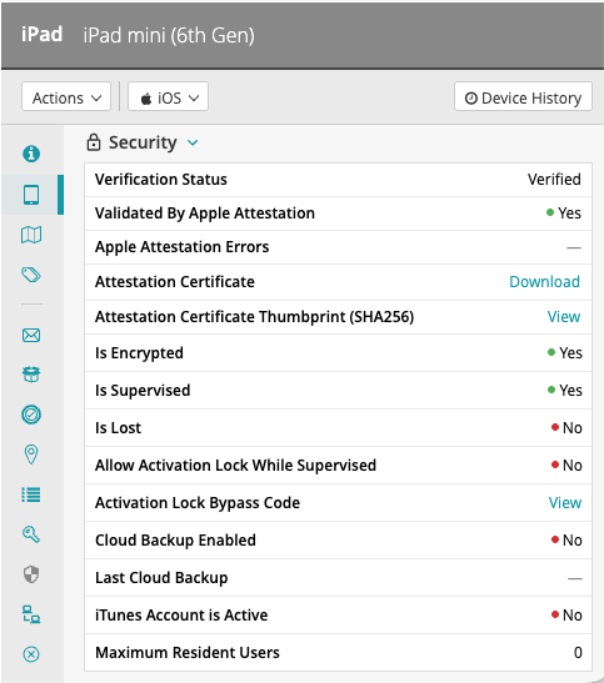
If a device does not support attestation, only the Validated by Apple Attestation and Apple Attestation Errors fields are shown.